


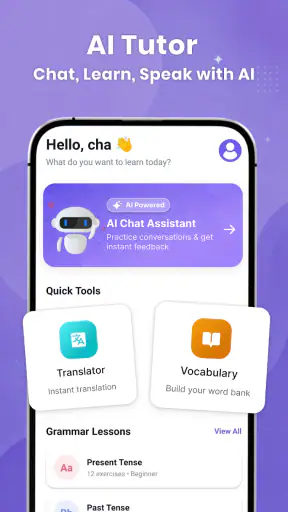
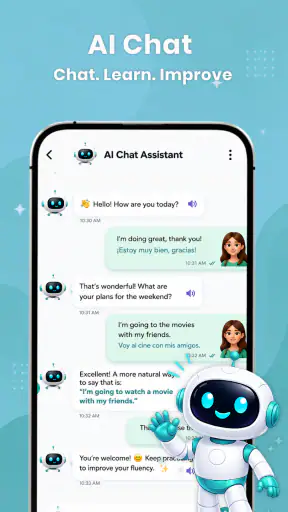
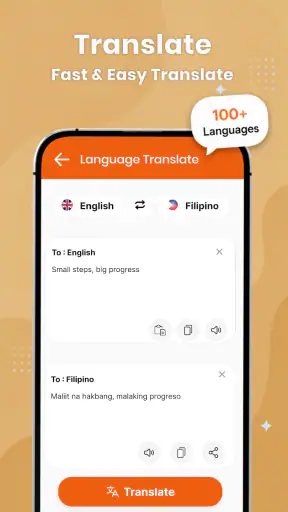
I found Langla: AI Language Tutor most useful when I treated it as a flexible conversation partner rather than a complete language course. The app is built for education, and its focus is clear: chat practice, translation, grammar help, and vocabulary work in one place. That combination makes sense for a household where different people may need different kinds of support, but it also means the quality of the experience depends heavily on how each person uses it.
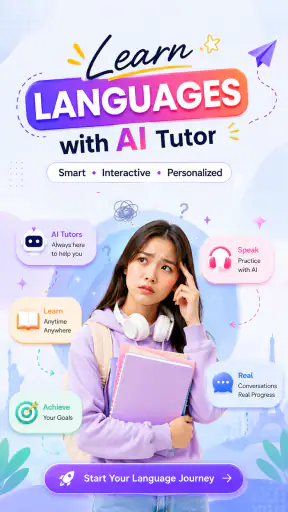
In my experience, the strongest reason to try it is convenience. Instead of moving between a dictionary, a translation tool, a grammar reference, and a speaking exercise, I can begin with one sentence and use the app to explore several angles of the same language problem. I can ask about meaning, check wording, and continue practicing in a conversational way. Langla works best as an everyday practice companion, not as a replacement for a structured teacher or full course.
How Langla fits into a shared household routine
A realistic use case is a shared tablet or phone in a home where one person is learning for travel, another is brushing up for work, and a younger user is building basic vocabulary. The same app can be useful to all three, but the sessions should remain clearly separated. A short conversation about ordering food is very different from a grammar correction for a formal email, and neither should be treated as a universal lesson for everyone using the device.
I would use it in small, deliberate sessions. One person might practice greetings and simple questions while waiting for an appointment. Another could paste a sentence they wrote and ask for a clearer version. Later, someone else could use translation to understand a message or compare two possible phrases. This kind of shared use is practical because the app covers several language tasks, but it requires users to say what they are trying to achieve before starting.
That distinction matters because AI language tools can respond differently depending on the wording of a request. If I simply ask for a translation, I may get a useful result, but I learn more when I follow up with questions such as why a phrase sounds natural, whether it is formal, or how a native speaker might say it casually. A shared-device routine becomes much more valuable when every user treats the answer as a starting point for practice rather than a final authority.
Separate the purpose of each session
My first practical tip is to keep each session focused on one job. A translation session should not quietly turn into a long grammar lesson unless that is what the user wants. Likewise, a vocabulary session is easier to remember when it is connected to a situation, such as shopping, commuting, school, or workplace conversation. This makes the app feel less like a box of unrelated tools and more like a personal study desk.
For a household, I would also avoid leaving an unfinished conversation open if another person is about to use the device. Even without assuming anything about account features or privacy settings, visible conversation context can influence the next interaction. Clearing the screen or starting a fresh topic is a simple boundary that prevents one user’s level, goals, or mistakes from shaping another person’s session.
The app is free to install, which lowers the barrier for trying it together. Its content rating is Everyone, so it is presented for a broad audience. That does not mean every answer is automatically suitable for every age or learning level. An adult should still guide younger learners, especially when the app is being used for schoolwork or when a child is asking about unfamiliar subjects.
What to decide before handing over the device
Before I would introduce Langla to several people at home, I would agree on a few simple rules. Each person should know whether they are practicing, translating, or checking an assignment. They should also know that an AI response deserves review when accuracy matters. This is especially important for school submissions, professional messages, medical language, legal wording, or anything that could cause trouble if phrased incorrectly.
I would also make sure users understand the difference between correction and explanation. A corrected sentence may look better, but the learner may not know what changed or why. Asking for a brief explanation, a simpler alternative, and a more natural conversational version produces a much stronger learning cycle. That workflow is one of the less obvious ways to get more value from the app’s combination of chat, grammar, and vocabulary support.
Another useful boundary is to decide who is responsible for paid choices. Langla includes optional in-app purchases ranging from $9.49 to $229.99 per item, so a free installation should not be confused with an entirely cost-free experience. On a shared device, I would make sure children know not to approve purchases and that adults discuss upgrades before anyone taps through a payment screen.
Coordination without turning practice into homework
Shared use can become awkward when one person expects a serious lesson and another only wants a quick translation. I found that coordination works better when the household agrees on a lightweight routine. For example, one user can choose a daily topic, another can contribute a sentence, and a third can ask for a correction. Nobody needs to follow the same learning path, but everyone benefits from using the same topic as a common reference.
A particularly effective workflow is to begin with a real sentence from the day. It could be a message someone wants to send, a phrase heard in a video, or a question needed for an upcoming trip. I would first ask Langla to explain the meaning, then request a simpler version, a more polite version, and a casual version. Finally, I would write a new sentence using the same pattern. That last step matters because recognition alone is not the same as active language use.
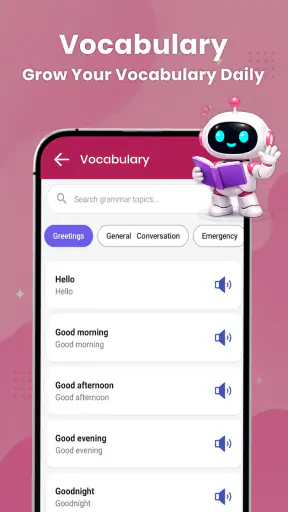
For vocabulary, I would avoid collecting long lists without context. A better approach is to choose a small group of related words and use them in a short conversation. If someone is preparing for a restaurant visit, the vocabulary should appear in requests, questions, and replies rather than as isolated definitions. This makes it easier to notice which words are interchangeable and which carry a different tone.
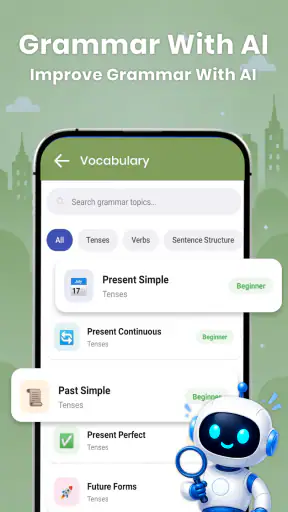
Grammar practice can follow the same principle. Instead of asking for a broad explanation of a tense, I would bring a sentence connected to a real need. Then I would ask Langla to identify the mistake, explain it in plain language, and provide a few new examples. The app’s conversational format is well suited to this back-and-forth approach, although learners still need to check whether the explanation matches the rules being taught in their class.
Age, trust, and the limits of an AI tutor
The Everyone age label makes Langla approachable for families, but I would not treat that label as a substitute for supervision. Younger learners may accept a confident-sounding answer without questioning it. They may also copy a translation without understanding whether it is polite, humorous, old-fashioned, or inappropriate in a particular setting.
For children, I would keep sessions tied to visible goals: learning classroom vocabulary, practicing introductions, or understanding a short passage. An adult can ask the child to explain the answer in their own words rather than simply copying it. That turns the app into a prompt for learning instead of an answer machine.
Teenagers and adults can usually work more independently, but trust still needs boundaries. I would not use an AI-generated translation as the only check for an important message. Nuance can disappear when a phrase is moved between languages, and a grammatically correct sentence can still sound strange or too direct. Langla is helpful for exploring options, but a teacher, fluent speaker, or reliable reference remains the better choice when the consequences are serious.
There is also a difference between practicing a language and evaluating someone’s ability. I would not use a brief chat with the app as proof that a learner has mastered a topic. A user may recognize a pattern during guided conversation but struggle to produce it independently later. To test progress honestly, I would close the chat and try to write or say a few original sentences without assistance.
Where it improves on the usual language-tool setup
The usual alternative is a collection of separate tools: a translation app for quick meaning, a dictionary for definitions, a grammar website for rules, flashcards for vocabulary, and perhaps a course app for guided lessons. That setup can be thorough, but it is fragmented. Langla’s advantage is the ability to move naturally from one question to the next without changing context every time.
That convenience is especially useful when I do not yet know what kind of help I need. I may begin by translating a sentence, notice an unfamiliar construction, ask about the grammar, and then practice the pattern in a short chat. A traditional dictionary may explain the word more precisely, but it usually will not carry the conversation forward in the same way.
On the other hand, a dedicated course can be better for learners who need a fixed sequence, regular review, and a clear sense of progression. A flashcard app may also be stronger for someone who already has a carefully organized vocabulary system. Langla is more adaptable, but that flexibility can become a weakness if the user expects the app to decide what to study next or measure progress in a formal way.
I would also choose a conventional reference over Langla when I need a definitive grammatical rule, specialist terminology, or careful editorial control. The app is most valuable when I want interaction and explanation around a language problem. It is less suitable when I need a single authoritative answer that can be cited or checked line by line.
Practical details before installing
Langla is developed by Aquaworld Infotech and currently appears as version 1.0.54. It supports devices running Android 8.0 or later. Those details make it accessible to many existing Android phones and tablets, including older household devices that may not run the newest software.
The app has built a visible user base, with over one million installs and an average rating of 4.5 from around 5.5 thousand ratings. I see that as a useful sign of interest, but not as a promise that every learner will have the same experience. Language goals vary widely, and an app that feels excellent for casual conversation may feel incomplete to someone preparing for an exam.
The store summary emphasizes AI tutoring through chat practice, translation, grammar, and vocabulary. In actual use, I would approach those functions as connected tools rather than separate destinations. The best results come from asking follow-up questions and creating your own examples. If you only paste text for translation, you may save time, but you will get much less educational value from the installation.
Because optional purchases can be expensive, I would begin with the free experience and decide what the household actually needs before considering anything paid. A child should not be the person making that decision. Adults should also compare the cost with their real usage: occasional translation may not justify an upgrade, while frequent practice across several learners could make additional access more reasonable.
Who should use it, and who should look elsewhere
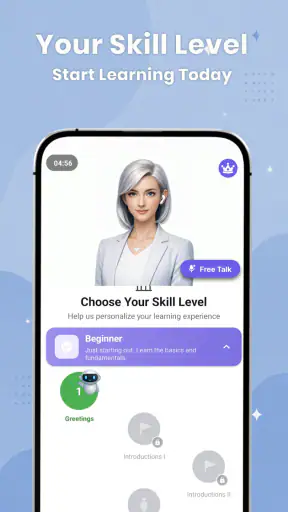
I would recommend Langla to learners who want low-pressure practice, people who often need quick language explanations, and households that want one flexible tool for several everyday situations. It is particularly appealing if you learn by asking questions rather than following a rigid chapter order. Travelers, self-directed beginners, and intermediate learners who want to make their writing sound more natural can all find useful moments here.
I would be more cautious about recommending it as the main resource for a child studying toward a specific curriculum. It can support homework and practice, but it should not replace the teacher’s instructions or the school’s required materials. I would also hesitate to make it the only tool for advanced learners who need precise stylistic distinctions, specialist vocabulary, or detailed correction from an expert human.
Someone who dislikes conversational experimentation may prefer a traditional course with lessons that arrive in a fixed order. Likewise, a user who only needs a fast one-off translation may find a dedicated translation service more direct. Langla earns its place when the user wants to continue asking “why,” “how else,” and “can I practice this?” after the first answer.
My household verdict
After looking at it as both a personal tutor and a shared-device app, I see Langla as a practical middle ground. It is more interactive than a basic translator and less structured than a complete language program. That balance is its identity, not a flaw, but users need to choose it for the right reason.
For a household, I would use separate sessions, agree on purchase boundaries, and encourage adults to guide younger learners. I would also make a habit of checking important translations elsewhere and asking for explanations instead of copying answers. Those small habits solve much of the friction that comes with sharing an AI learning tool.
My recommendation is positive for curious learners who want conversation-based practice at their own pace. I would install Langla: AI Language Tutor for travel preparation, everyday writing support, and informal family practice. I would not present it as a complete course, a guaranteed authority, or a substitute for human feedback. Used with those limits in mind, it turns ordinary language questions into useful practice and gives a shared household a convenient way to keep learning moving.


